All your children in one place
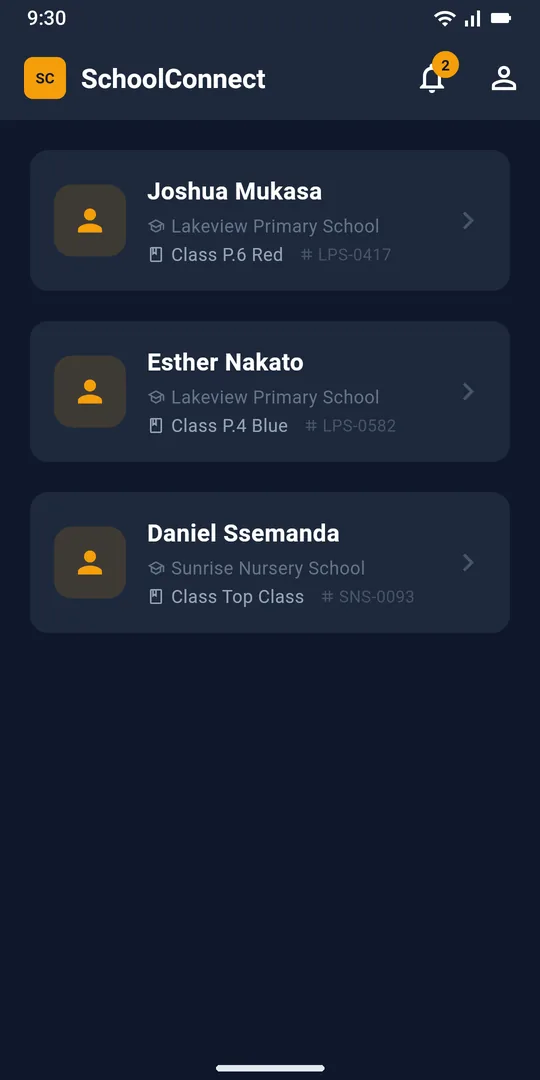
Every child linked to your account appears on your home screen, even if they are at different schools. Tap a name to open their attendance, results and fees.
 SchoolConnectStaff sign in
See attendance, results, fees and school news for each of your children, and get an alert the moment one of them is marked absent.

For parents at schools that use SchoolConnect. Your school sets up your account.
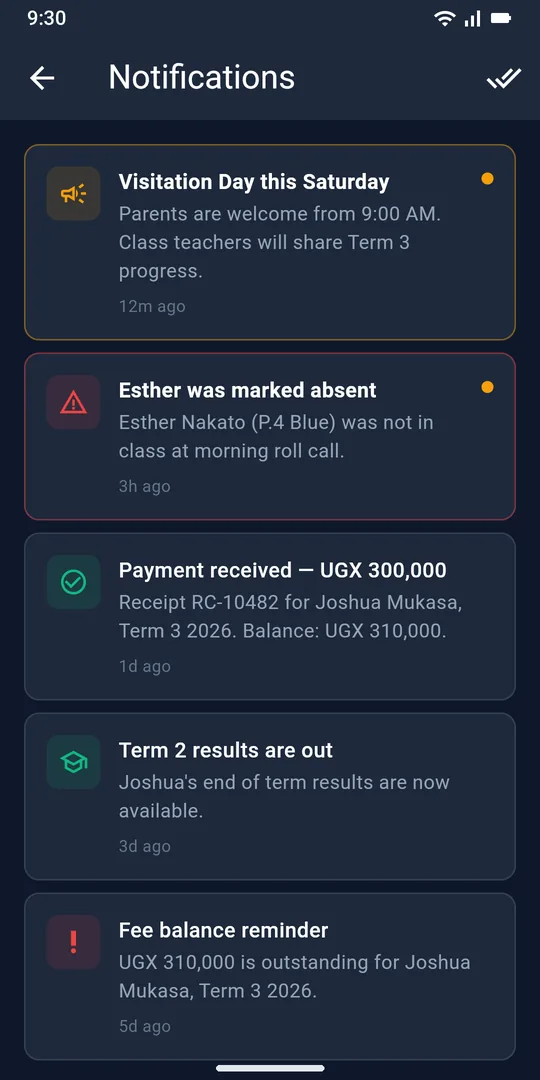
Every child linked to your account appears on your home screen, even if they are at different schools. Tap a name to open their attendance, results and fees.
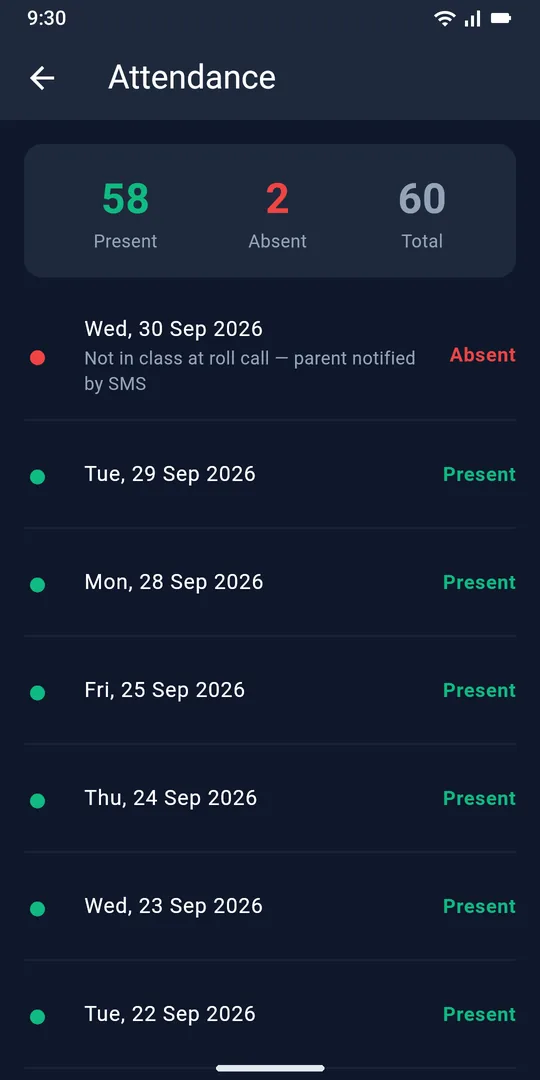
Teachers take the register in class. If your child is marked absent you get a notification and an SMS, and the day appears in their attendance history.
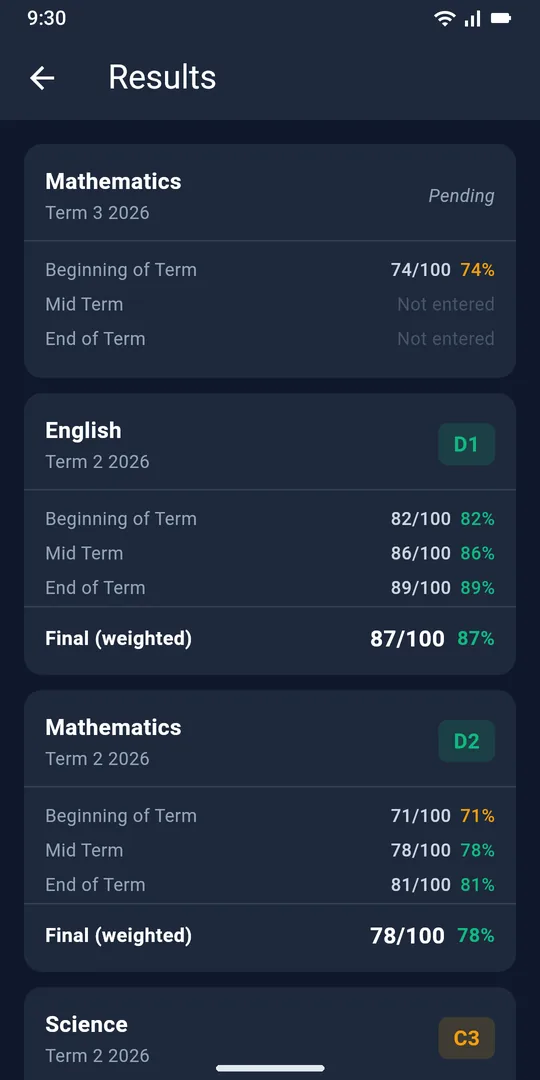
See beginning of term, mid-term and end of term marks for every subject, with the final mark and grade once the school publishes them.
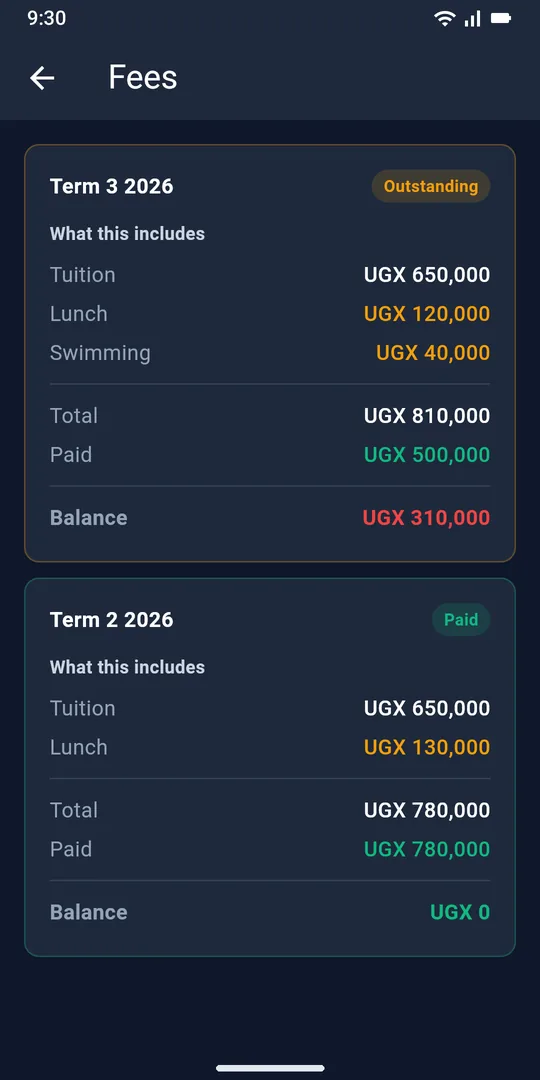
Fee balances for each term in UGX, a breakdown of tuition, meals and activities, and a confirmation each time the school records a payment.
There is no sign-up form. Your school creates your account, so you only see your own children.
The school office adds you as a parent and links your account to your children.
Get SchoolConnect from Google Play on your Android phone.
Use the email address and password your school gives you. Your children are already there.
Your staff run attendance, results, fees and parent messages from one web portal. Parents see it all in the app the moment it is saved.
Your school creates parent accounts. Ask the school office to check that you are registered with the email address you are using, and that your children are linked to your account.
Only parents linked to that child, and staff at your child’s school.
Android phones running Android 7.0 or newer, through Google Play.
Follow the steps on the account deletion page. You can read how we handle your information in our privacy policy.